Today I learned that if there’s an image on the Mac OS clipboard, Preview can save it to a file. It’s right there in its file menu: New From Clipboard!
- Press and hold fn+alt+2, to enable the second keyboard profile. This will separate the keyboard abuse we're going to inflict from the main profile.
- Press and hold fn+alt+tab for several seconds until the keyboard blinks
- Tap left shift: this selects it as the key to be programmed
- Press fn+3: this selects that combination as the input to map to the newly-programmed key
- Press fn+alt again to save the macro
- Press and hold fn+alt+tab again to exit macro recording mode
-
What I could really use is a keycap with both modifiers printed on it; that would be an even better solution for the Keychron, and would eliminate the occasional “waaait, which is cmd again?” moment. I’m almost tempted to use a white paint marker to scribble a tiny cmd and whatever-Apple-calls-that-alt-symbol on the K2’s modifier keys. But I’m not there. Yet. ↩︎
Currently: appending _test to a number of workflow inputs and outputs and am confident this will not incur unanticipated consequences later.
Quick, somebody give me something mildly impossible; I just wired three Cat5 connectors and they all worked on the first try.
Enabling Minecraft fn-key combinations on a Ducky One 2 Mini
Some special debug modes in Minecraft require pressing F3+some other key, which is a real mess for accessibility; function keys aren't meant to be modifiers of other keys, and the Minecraft folks have some explaining to do on this.
That said, my son came to me with a problem: He wants to do something called "showing chunks" in Minecraft, which requires F3+g. Pressing F3 on his 60% keyboard requires using the _fn_ key, so if he presses another key while holding that key, it also activates the alternate function command mapped to the second key. Without some kind of reconfiguration, his keyboard literally cannot send the combination of fn3+g.
After banging my head around forums for a while, I was surprised that nobody seemed to have posted a working solution. So here's what I came up with, using the key programming available on the Ducky One 2 Mini:
We're going to set the left shift key to imitate F3 without needing to press fn:
Too Many Words About Two Keyboards
In the span of three weeks I’ve somehow accumulated not one but two mechanical keyboards: A Keychron K2, and a Ducky One 2 SF. I had ordered the Ducky first, but it was out of stock and after about a week it appeared that its shipping date had been pushed back even further – several more weeks out from my reading of the inventory update at mechanicalkeyboards.com. In a fit of impulsive work-at-home consumerism (in which I see I am in good company, I also ordered the Keychron, which arrived in just two days, and I’ve cheerfully been banging away on it for the last couple of weeks.
Well. The Ducky turned out to ship much sooner than I expected based on the order number I had, and it arrived last night.
Comparing the two isn’t quite apples to apples because they have different switches: The Ducky has Cherry MX Browns, and the Keychron has Gateron Blues. My logic with the K2 decision was that I would use it mostly for work, and would appreciate the tactility for day-in typing, while I would mostly use the Ducky with our gaming PC and would prefer a little less key pressure there. Note that this is one hundred percent a ridiculous post-hoc rationalization. I figured, if I’m going to have two of these things, I might as well try a different style. We’ll see how that bears out! I’m swapping back and forth between the two while typing up these thoughts.
I have come to really like the tactility and sound of the blues on the Keychron. I’m a little self-conscious of it when I’m on a work call, and will try out some of the tweaks that Phil describes in his notes. A few keys are a little wobbly or scratchy in their travel, which I don’t notice at all so far on the Ducky. True to the way they’re described, the slightly more positive tactile feel of the blues does make them feel more accurate for doing lots of straightaway typing.
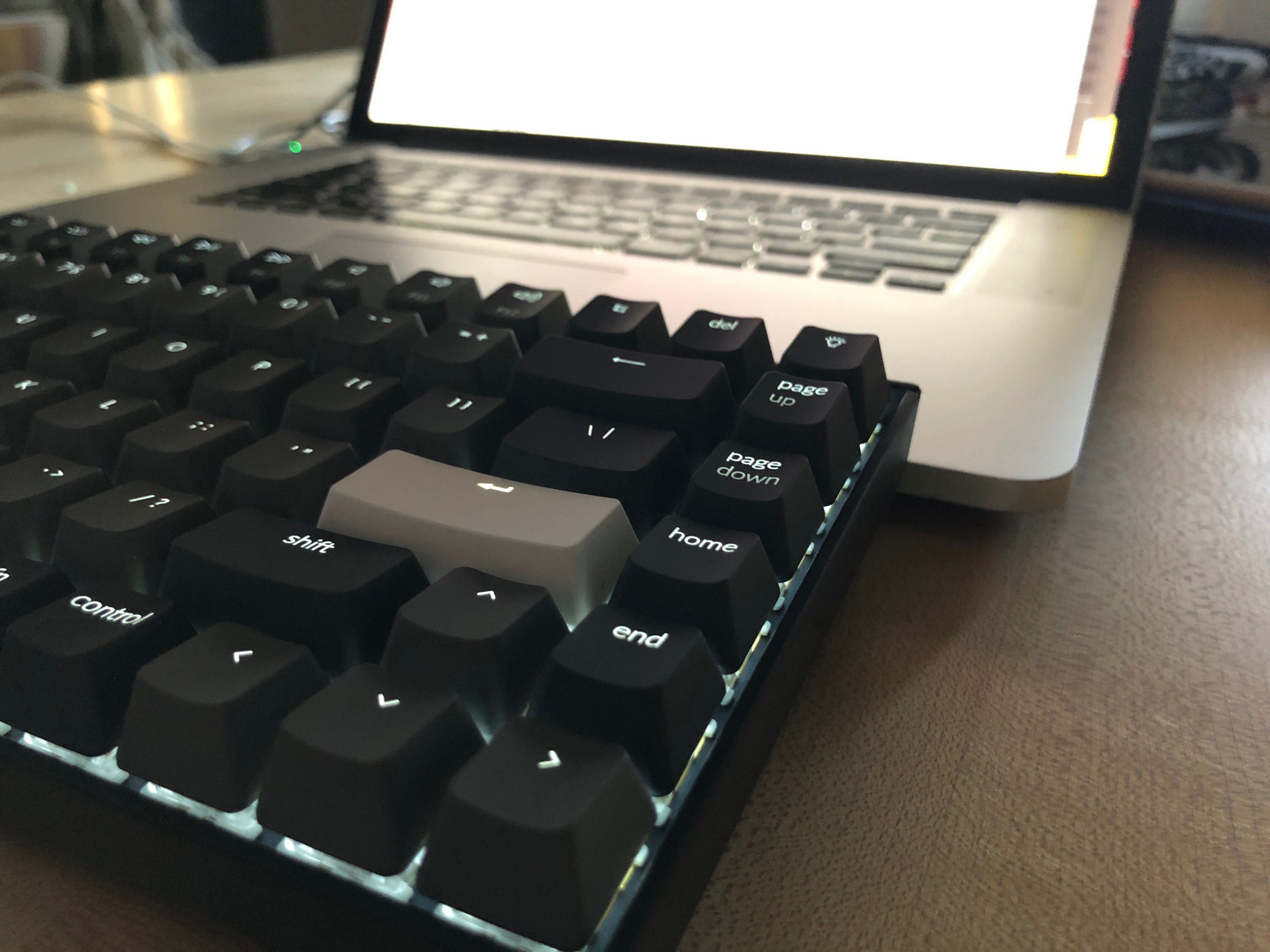
Agreeing emphatically with Phil, I sure think Keychron put the del key in the wrong place. But I do prefer the true top row of F keys on the K2, in part because it means that Esc is a dedicated key and doesn’t share functionality with backtick and tilde; I use all three of those a lot, and I don’t like needing to use modifiers. The Keychron also has a surprise dedicated screen-capture key on that F row, which I find I use way more than I realized for work. It’s really nice to not need to fiddle with multiple modifer keys to find that one. The Ducky has one accessible with the fn key, but I’m never going to remember where it is.
Among other things to really like about the Keychron: The Windows/Mac switch and the three toggle-able bluetooth connections are really good! I won’t actually swap keycaps every time I swap PC modes, but the keyboard comes with both sets of Win and Mac modifiers keys, and my muscle memory with both systems is juuust about good enough to simply change modes and be pretty effective. 1 Three bluetooth settings lets me swap easily between my work PC, my MacBook, and an iPad. This is great for my current home office setup, where I can bring the MacBook over at the end of the work-work day and hook it up to the monitor; then I toggle to Mac mode and tap fn-1 to activate the bluetooth connection to it. It’s really slick, and is a great capability. I haven’t noticed latency as an issue. Both keyboards use USB-C so I don’t need to fiddle with anything to swap between them. The K2 thoughtfully includes a right-angled plug so the cable connection is really low profile.
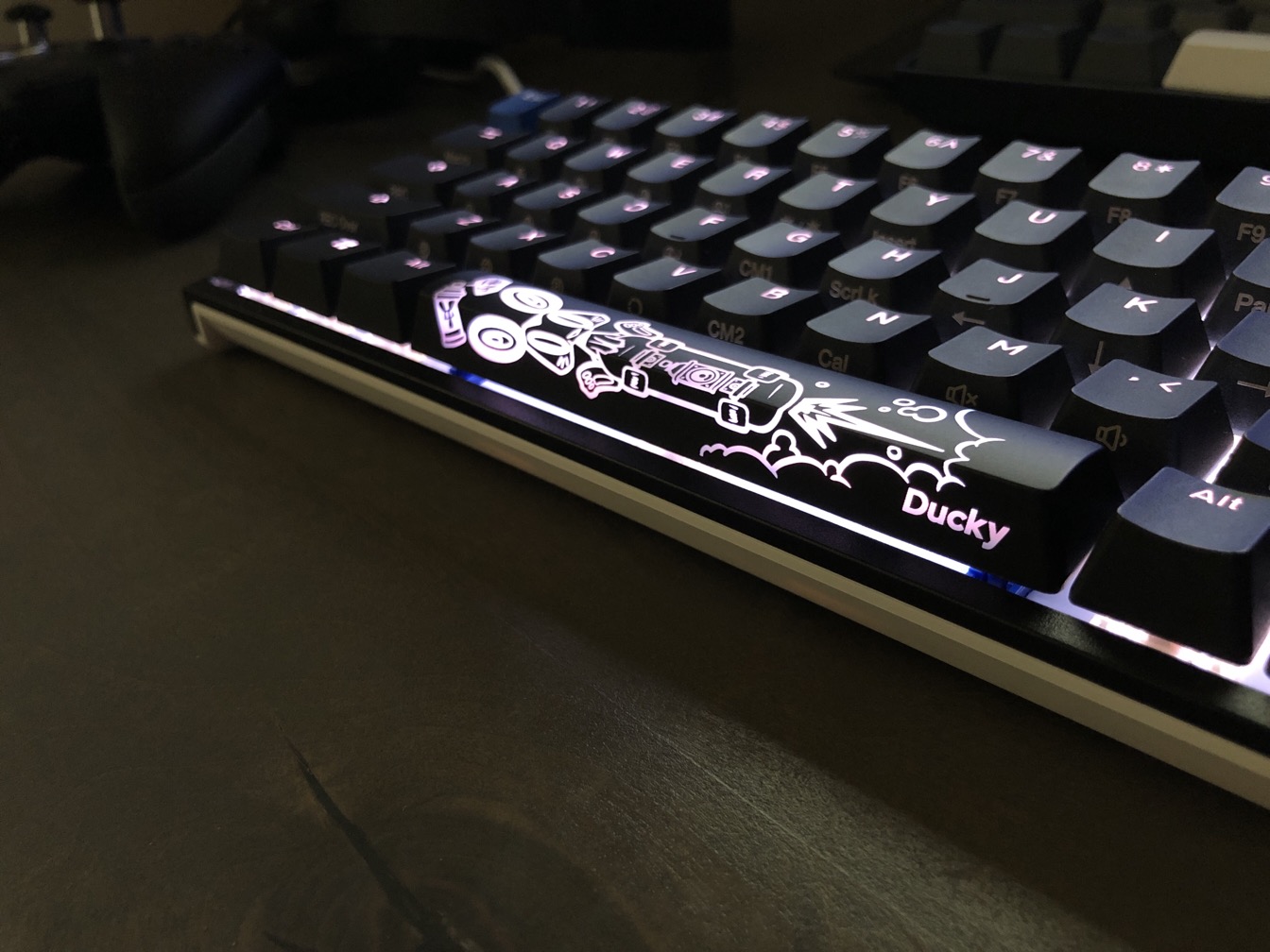
There’s no disupting that the PBT keycaps with the Ducky are better. The texture is subtly more pronounced, while the ABS keys on the K2 can feel a little slick – and they definitely show fingerprints more readily. The slightly thicker cap of the Ducky is nicer to feel and to strike. Ducky is also really fun because they throw a few bonus spare keys with different colors or print styles into the box; my Ducky came with a super cool year of the rat space bar, and I’m absolutely rocking that thing. While I’m not a big LED fiddler, both keyboards have lots of light modes, though the Ducky’s LED is a full RGB while the Keychron’s is white. I’m a simple man and go for a steady glow. The shine-through of both key sets is nice and sharp. I’m really thinking about a PBT keycap upgrade for the K2.
If every app were vim, the location of the page up/down and home/end keys wouldn’t matter as much, but, alas. Two weeks in, I haven’t gotten used to the location of those keys on the K2. In addition to the misplaced del key, the Keychron has those four keys in what I think is just the wrong place. Ideally, I would swap the two sets – putting page up/down immediately above the right arrow key. That would make it easier to grab with muscle memory. The Ducky also has a small gap between that column and the main set of keys, which serves muscle memory better, even in just a very short time of use; it also has the Del key in the proper location, and because it uses modifiers to turn page up/down into home/end, there are two fewer keys in the column to confuse my fingers. It’s almost immediately feeling natural to hit fn+ one of those keys to modify it to home/end, and I can locate the correct key much more quickly while touch-typing. This is a really well thought-out design on the part of the Ducky folks.
The height of the Ducky is better – by comparison, the front edge of the Keychron is like the Cliffs of Insanity. This hasn’t actually bothered me in the couple of weeks I’ve used the Keychron, but I can certainly see it being a problem. Trying out a wrist rest is probably a good idea.
Notes on swapping between the two: Having played some Destiny 2 with the K2 and felt the push-back of the stiffer switches, I’m definitely looking forward to the experience of playing with the brown switches on the Ducky. I think the blue switches do win for solid typing feel, but whenever I change between these boards, my first thought is, “wow, the K2 is loud!” It’s probably good that I mostly share my home office (it’s the dining room) with a lab/border collie mix. Phil is 100% on the right track to suggest some modifications to dampen the case noise a little. But both feel similarly robust; neither feels flexy or cheap and nothing makes me sense that the Gaterons are any lower quality than the Cherry switches.
Time will tell if I migrate to one or the other more full-time for work and/or for fun. For now, to finish a way too long and self-indulgent post, I’ll just say I’m a happy convert to these keyboards. They’re fun and feel good to use, and I will take anything I can get that helps me look forward to sitting down to work at this particular moment. Good tools matter; these are both good tools.