The improvements that Qobuz are making with their beta apps is really nice, and this alternative Qobuz theme by Jon Hicks is a great illustration of how much impact a thoughtful design has.
- mhoye/moderntools: a collection of updated tools that “should be a standard part of a modern unity distro”. There’s so much good stuff here.
- Freeland Spirits bourbon: Tasty
- Forza Horizon 5 - Summer Information Thread - Series 1: If you were playing Forza Horizon 5 a couple of years ago (you should! It’s fun! Though FH4 remains my favorite by many miles) then this might have been a useful resource.
- Old Gods, New Enigmas: Marx’s Lost Theory by Mike Davis
- NPR’s list of The 123 Best Songs of 2023: Never too late to revisit this?
- The smoke-colored Vero cappuccino cup: My favorite coffee cup
I’m continuing to use Helix and I really appreciated this quick overview from Felix Knorr, who provides a few new nice configuration options (including binding the immediate favorite gw command to a single key). I remain really happy with how ready-to-go this editor is without plugins or heavy-duty configuration, while still being discoverable and offering a lot of depth.


This feature of [Helix] is so good! Typing gw replaces the first two characters of words with random letters, and then typing those two letters navigates immediately to that word, selecting it for further operation like copy or replacing. In this example, gwcx would take my cursor straight to the word “register.”
Closing Tabs, part 4 – The final chapter (for now): Here ends my selective curation from among the four hundred tabs that have lived in Safari on my phone for the past two to three years. I skipped legions of old GitHub pages; and I closed without close review a pretty good-sized catalog of then-cutting-edge Covid resources, the re-scanning of which gave me a weird sense of unresolved trauma and a pit in my stomach.
For my troubles, here’s the last half dozen or so links that, for one reason or another, I thought I’d share.
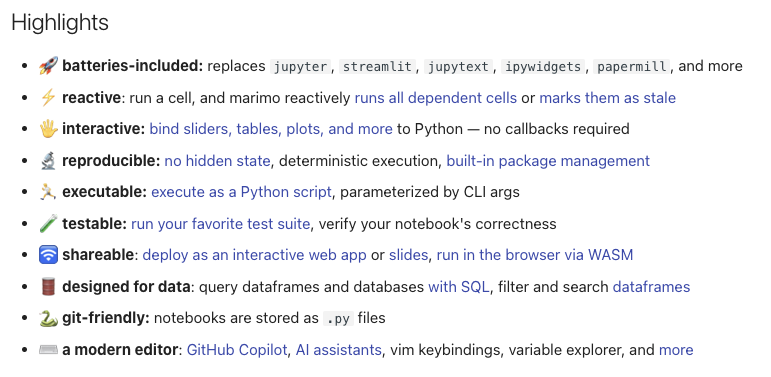
I vastly prefer writing and working with R to Python, but marimo is a really interesting tool and addresses the thing I’ve always disliked most about jupyter notebooks – the awful json file format that stores state in the document itself. Its browser-based editor feels pretty nimble and modern, too. I’ll explore it some more.
Last week, Textpattern turned twenty years old. Funny how many memories that brings back.

Continuing my weekend of exploring my own web stuff, I’m digging into my logs for the first time in a while, and finding GoAccess to be a really nice, lightweight, and useful tool.
On @FlagrantError’s pointer, I tried out Rectangle as an alternative to Amethyst. It’s not (currently) a true tiling window manager, but holy smokes it’s fantastic! I’m trying the Rectangle Pro features with the free ten-day trial and it’s a 100% certain purchase for me. It’s absolutely packed with smart mechanics for managing windows with keyboard shortcuts and/or a modifier + mouse combination. Repeated activations of a shortcut can cycle through multiple configurations. And there’s a brilliant feature to activate the “mouse throw” of a window using multitouch activation on a trackpad. I’m totally hooked on it.
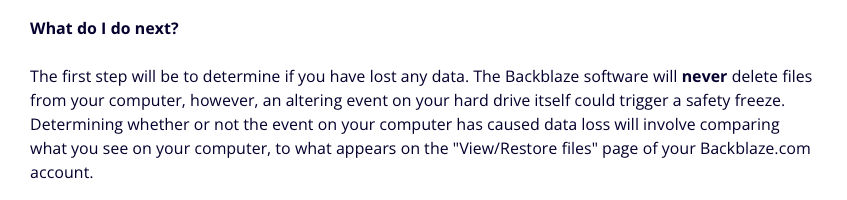
Backblaze entered this “freeze state” a couple of weeks ago and their tools to figure out what to do about it are sort of baffling. I’m supposed to compare my files to my backup state? All of them? How? For an indispensable piece of software, its usability is sometimes so disappointing.
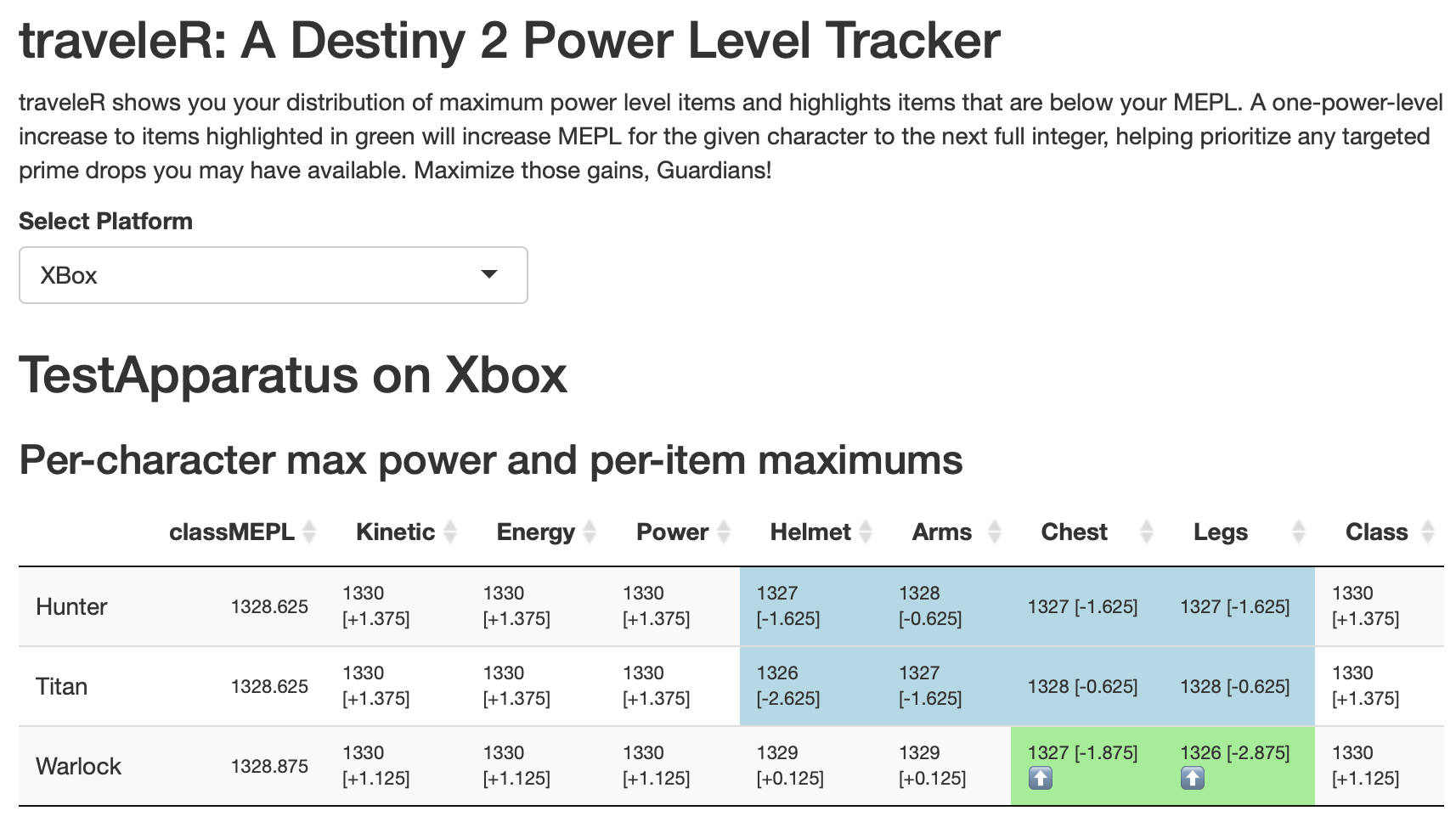
Last fall I wrote a bit about a Destiny 2 power level tracking tool I built using R. I’ve now converted it to a full-on Shiny app and solved some issues with the oauth2 flow that stumped me in my intermittent tinkering with it. I’m super satisfied to have been able to get this to work! Now that I have the authentication process figured out, I’m eager to also convert my armor profiling tool to use it. Look out!
You can check it out here: traveleR