What I’d give for a fish shell-style approach to command history in the R console.
A lot. I’d give a lot.
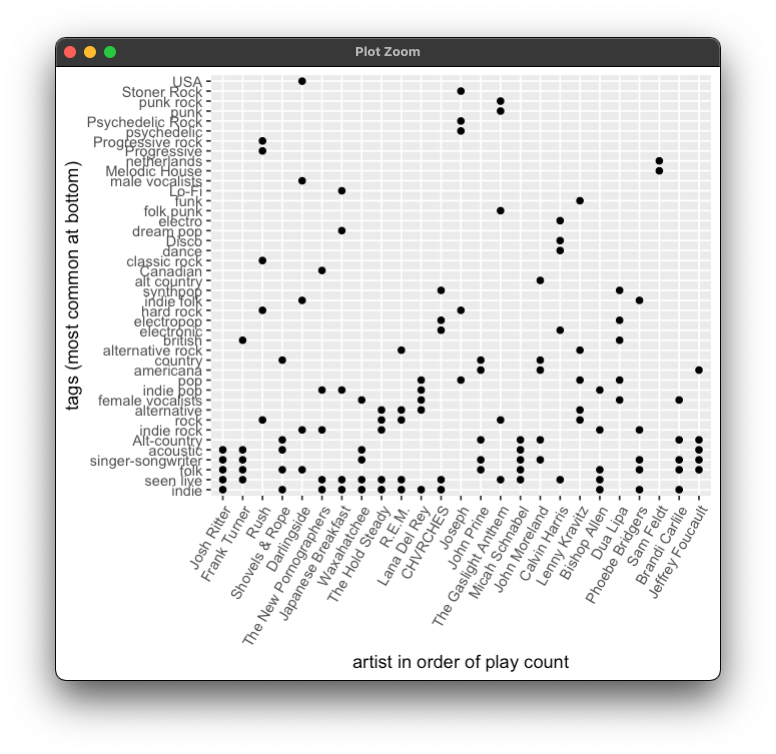
Today’s small revision of tuneR adds a scrollable table of user-assigned tags to your artists, and a plot of artists by tag sorted to show the most used tags across your top 25 artists this year. Coming soon – possibly some track-level data!
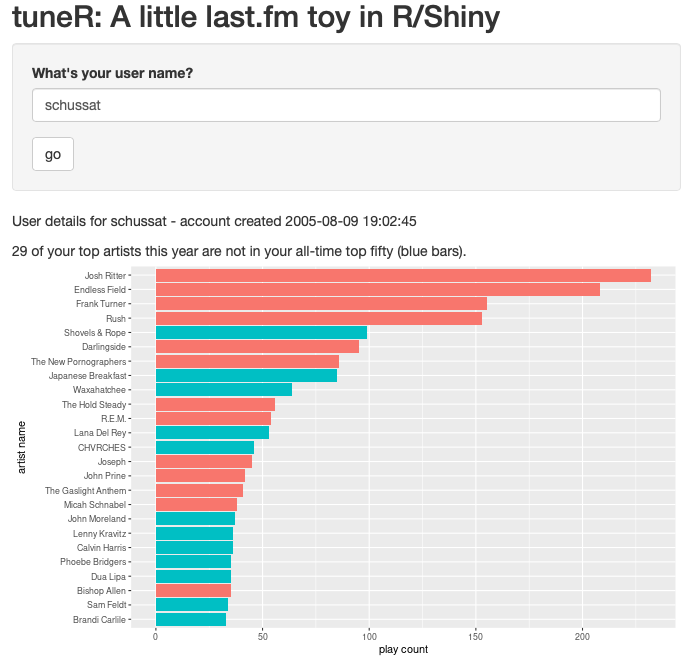
Inspired by all the enthusiasm for Spotify’s end-of-year Wrapped summaries, tuneR is my extremely rudimentary first start at my own version, done in R/Shiny. I’d love to hear if it works for you and what else would make it more fun!

The hardware flash mode on the Q1 requires removing the space bar and pushing a tiny button while plugging in the keyboard. But you can program a key to do this instead. This is a massive improvement! Fiddling/Learning QMK would be terribly cumbersome otherwise.
The great part about running a static blog with Hugo is remembering how all the partials and templates and stuff work, after only minimal hunting and finding in the terminal. That done, I’m enjoying making a few small updates and doing some cleaning this Saturday afternoon.
Keyboard programming with QMK update: Adding more vim keys to a new layer on my Q1! After a long time idly thinking it would be neat to have vim-style navigation in, for example, an Outlook compose window, I can now toggle layers and do exactly that. It’s pretty slick.
I used Migration Assistant and it’s actually anticlimactic how cleanly my shiny new MacBook came up just like the prior one. I had to run a couple of updates to get brew up to current, but otherwise everything just … worked, including all my fiddly fish shell stuff and the project I had open in R Studio. I can only imagine the engineering under the hood to make that work amid the Intel to M1 transition.
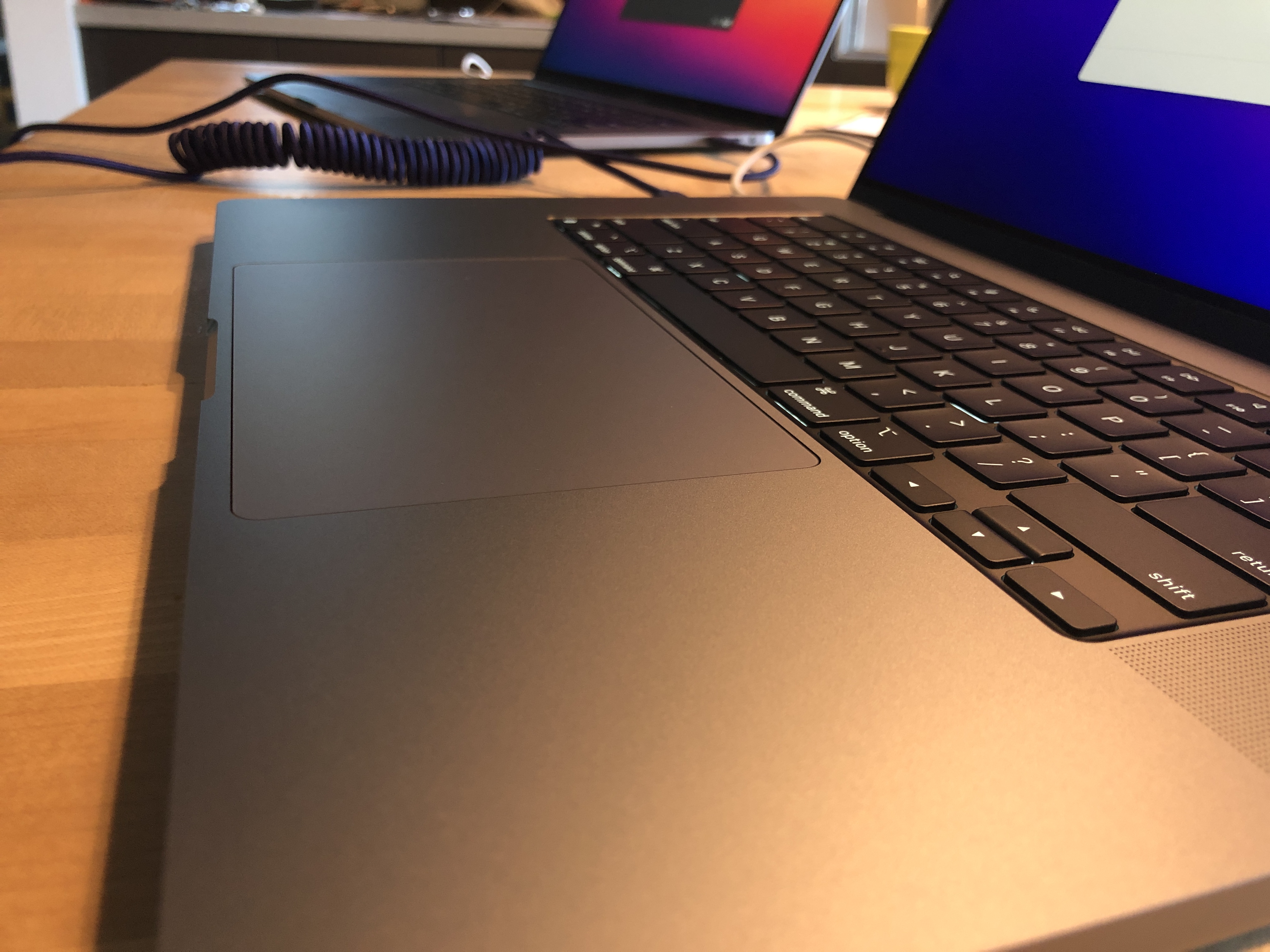
👀 migrating
Spent a good chunk of today alternating between Forza Horizon 5 and learning how to add a vim layer to my keyboard with QMK. Pretty good Saturday tbh.
Destiny 2 Power leveling tool in R
The latest piece of my homebrew Destiny 2 toolset is Travelr, a power leveling tracking tool built with R and using a much simpler process than most of my prior nonsense. (Aside: I'm still using ArmoreR, but it has some key limitations that I haven't spent much time with, including a problem incorporating the authentication flow more fully into Shiny so that I could make it an app that others could use in a more friction-free way.)
The power climb is part of the game with each new Destiny season. A lot of this process is luck: A player can only get so many pinnacle drops per week and there's no guarantee that a given drop won't be in a duplicate category. But, some drops can be targeted to broad categories -- armor versus a weapon, for example -- and there is some efficiency across characters if you can strategically raise one category to increase the base level for all characters.
I was inspired by a fantastic tool written by a member of the small Destiny 2 community I'm in, that identifies categories to target (or, try to target, anyway; a lot of it is still frustrating random luck, sometimes), and decided to try building my own version. It doesn't do anything unique, but it works and it's wonderfully satisfying to step through an R markdown notebook that authorizes me to the D2 API, retrieves all my equipment statistics, calculates my maximum power level and indicates which, if any, categories should be targeted.
For example, here's a screenshot from the beginning of the season, where every single equipment type would increase my total maximum power level:

... and later in the season:

It's been great fun to have this small tool with me during the season's play. It's currently dependent on another small tool that grabs the equipment "manifest" file, and I'll be publishing the whole notebook to github when I finish incorporating that into the repository.