Pretty Good Hat

Tag: Destiny

Super-pleased to see that a couple of small Shiny app improvements I made this weekend correctly picked up on some source data changes today and automatically handled them. Pretty cool!

🎮 I got to spend a few hours this weekend laying siege to the new dungeon that was released in Destiny 2 on Friday. Today, my team and I finished it! It’s the first time I’ve been able to play new, hard content at release and without any prior knowledge of it – and to actually complete it! I’m really happy that I got to do it, and I really enjoyed the time with my team to figure it all out together and successfully make our way through it.
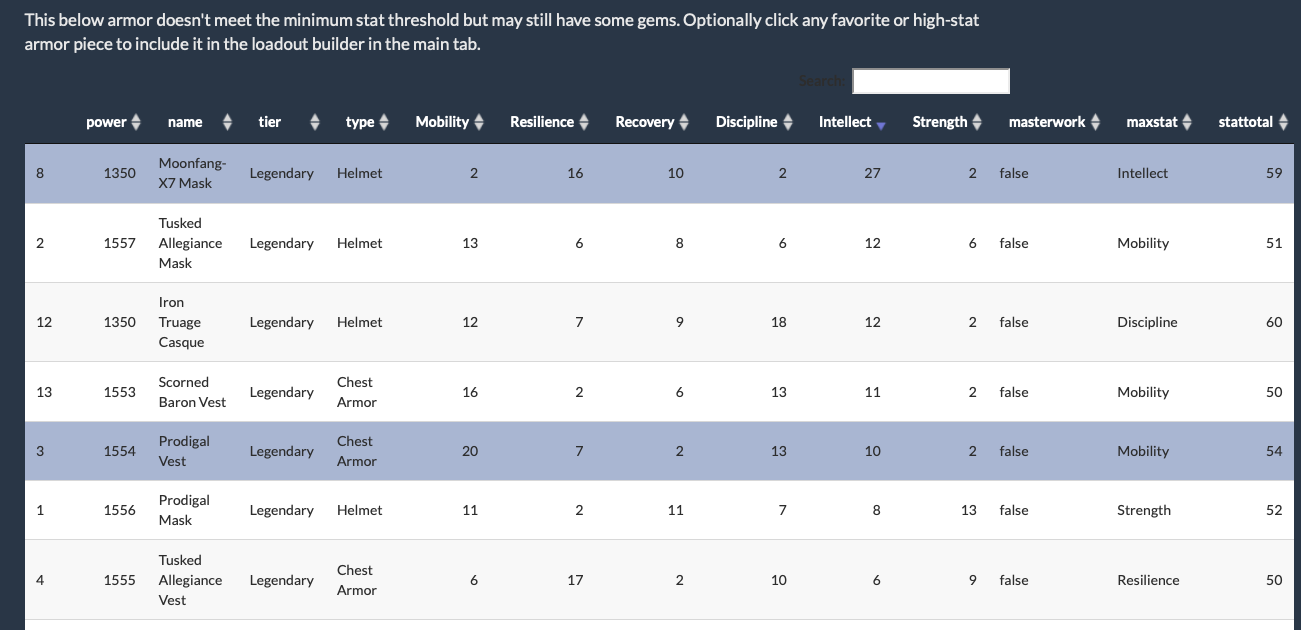
Screenshot displaying rows of armor items and their stat values

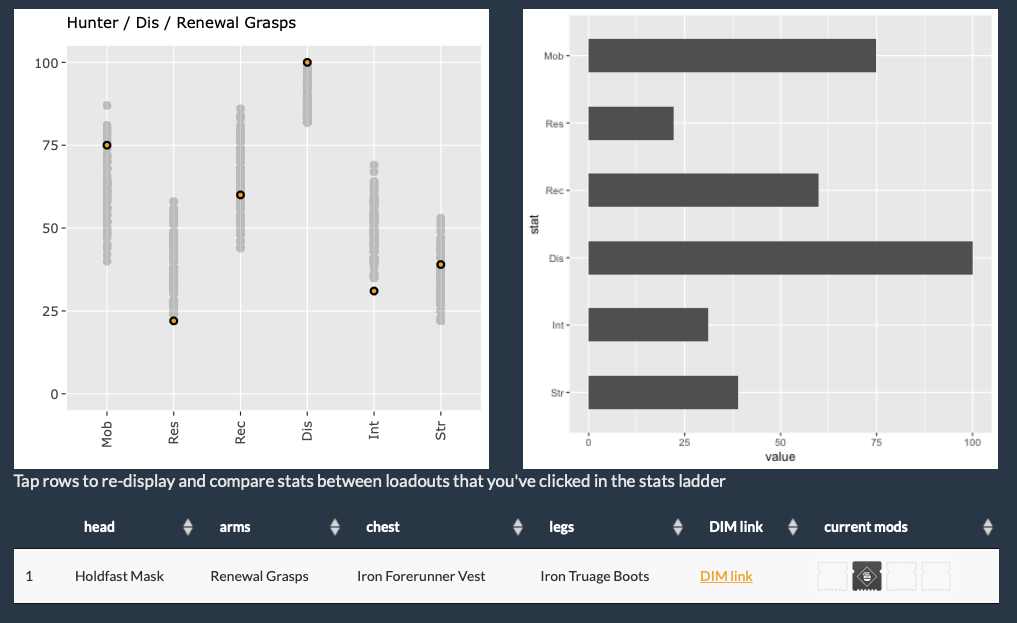
Screenshot showing a scatterplot of stat values for a selected armor configuration

I’ve had a nice afternoon working on my hobby R/Shiny project, a loadout finder for the game Destiny 2. These improvements make it a lot more flexible and informative: It can now optionally include armor that would otherwise be filtered out of configurations by the minimum stat threshold, and it will show current mods used in displayed loadouts.

ArmoreR: A Destiny 2 Loadout Finder

Since I’m talking Destiny projects lately, here’s a another open invite to Destiny-curious micro.friends who may want to try it out! The new expansion is very good and it’s a great time to jump in. Happy to be a space magic shooty guide to anybody who needs a friendly way into the game!
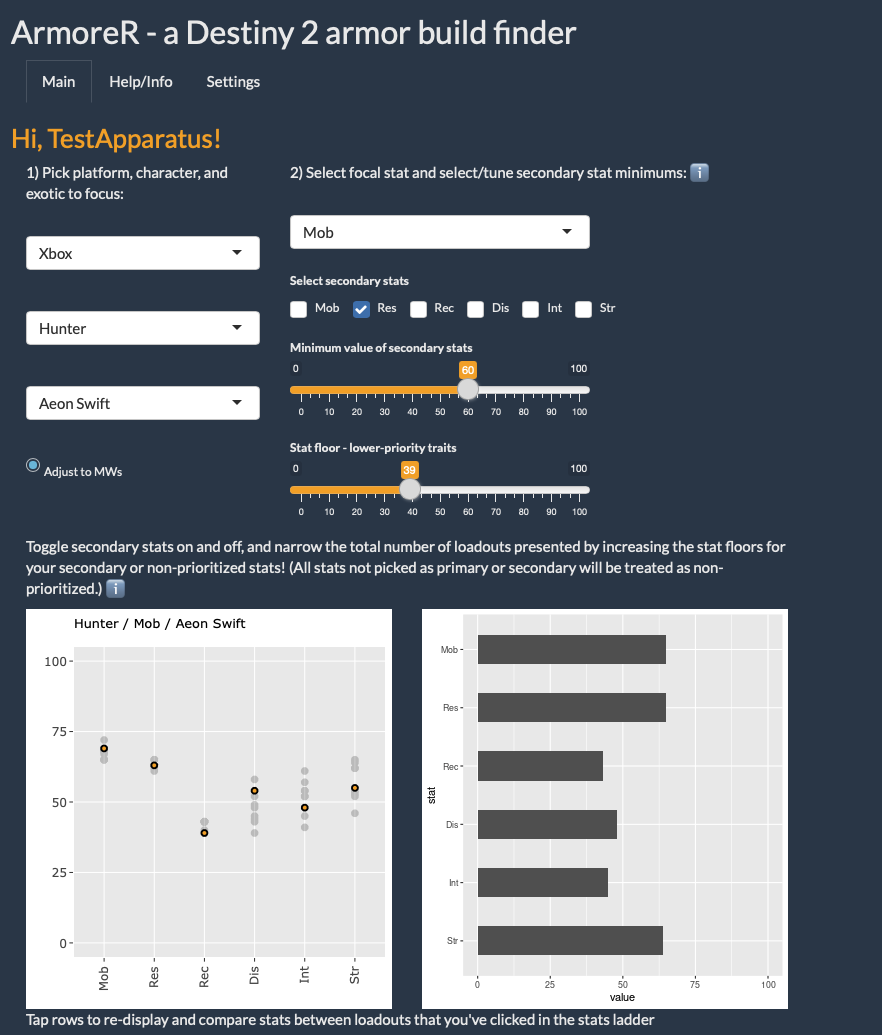
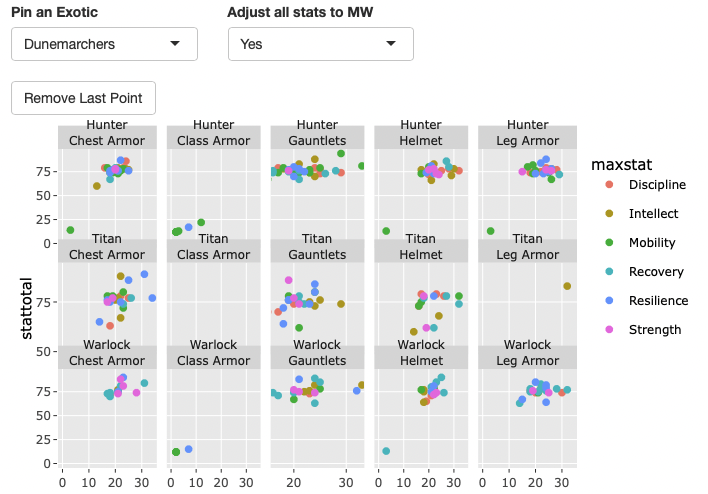
A screenshot showing armor statistics for loadouts in Destiny 2

This revision of ArmoreR is really turning into something I’m happy with and proud of. I’ve learned so much since the very first iteration of this about a year ago. It’s really fun and rewarding to come back to it with a bunch of new expertise and make it much better in all ways, including a new approach to dealing with such a large amount of information.
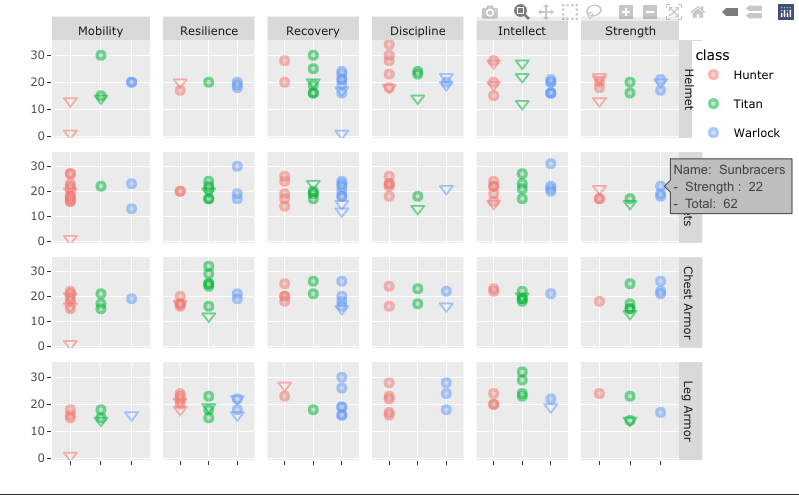
screenshot showing a set of colorful scatterplots displaying a variety of armor types and their stats

I spent a bunch of the weekend beginning a redesign of my ArmoreR project, which aims to be a Destiny 2 armor stats profiler built in R and Shiny. A year on from when I began it, I have a much better understanding of how a Shiny app works, and have also incorporated a proper, working oauth2 workflow into this revision (incorporating the things I figured out for my power level tracker). It’s really, really satisfying to be rebuilding it with all the things I’ve learned. I think the application is going to be so much better and less complicated than the first iteration. I still have a ways to go, and am happy with just how much I have transformed it with a year of learning and practice on other things.
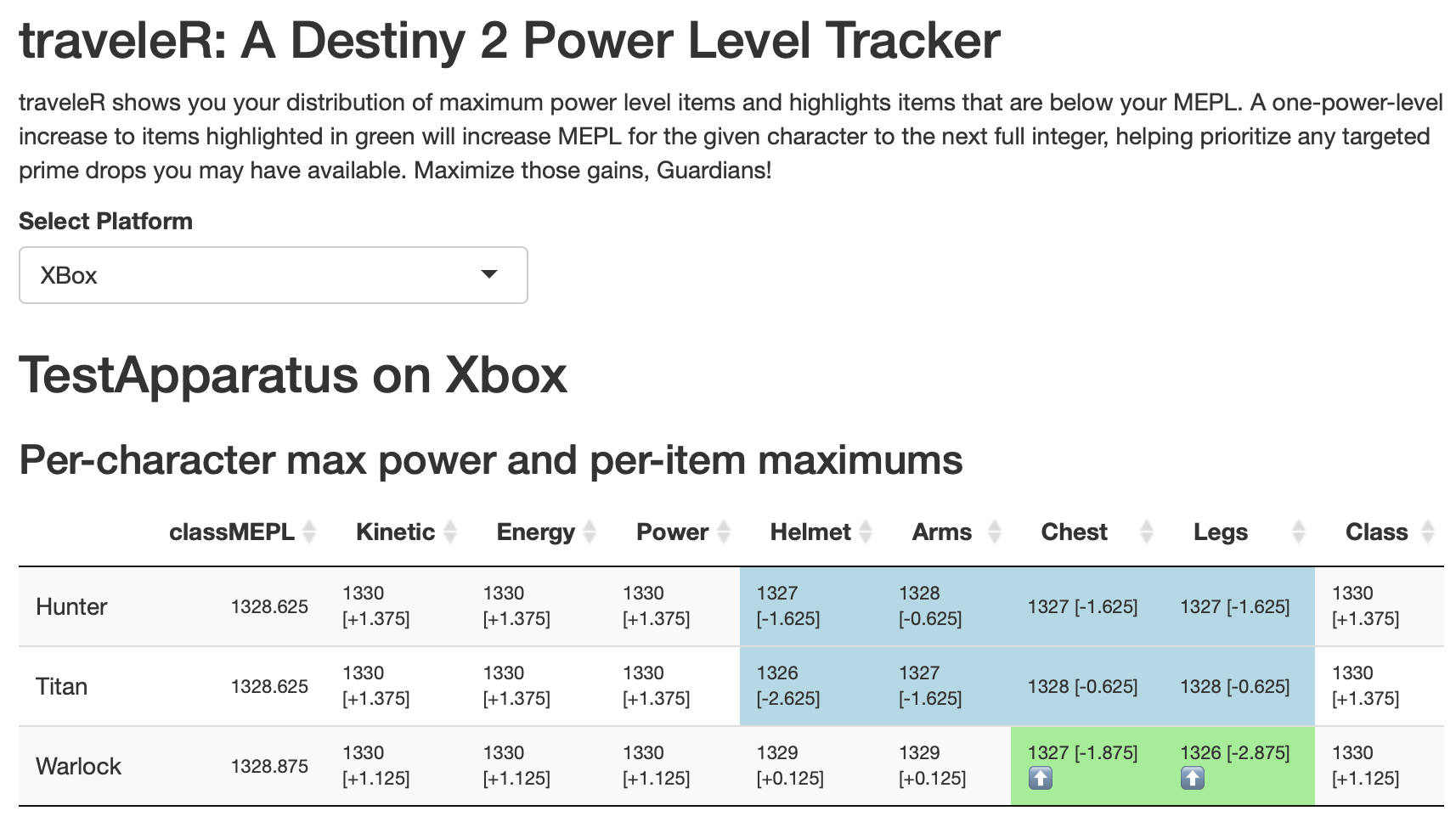
a screenshot of a web application showing a table of statistics for a game character

Last fall I wrote a bit about a Destiny 2 power level tracking tool I built using R. I’ve now converted it to a full-on Shiny app and solved some issues with the oauth2 flow that stumped me in my intermittent tinkering with it. I’m super satisfied to have been able to get this to work! Now that I have the authentication process figured out, I’m eager to also convert my armor profiling tool to use it. Look out!

You can check it out here: traveleR

Today I made improvements to some R code in my Destiny 2 hobby-coding-verse after learning how to much more cleanly deal with nested lists. I had previously used a solution using map() to apply a selector to each item in the list, but this was clunky, hard to remember, and became really hard to read with several levels of a nested list.

The far better solution is the unnest_auto function from {tidyr}, which I came upon when tinkering with the last.fm API data recently. Once I understood how it works, it’s so easy and satisfying! The key is to first make a named tibble.

> tibble(my_tibble = instanced)
# A tibble: 906 × 1
   my_tibble        
   <named list>     
 1 <named list [10]>
 2 <named list [10]>
 3 <named list [10]>
 4 <named list [10]>
 5 <named list [12]>
 6 <named list [10]>
 7 <named list [10]>
 8 <named list [10]>
 9 <named list [9]> 
10 <named list [9]> 
# … with 896 more rows

That nice tibble can be operated on by unnest_auto():

> tibble(my_tibble = instanced) %>% unnest_auto(my_tibble) %>%
select(itemLevel, breakerType)
Using `unnest_wider(my_tibble)`; elements have 8 names in common
# A tibble: 906 × 2
   itemLevel breakerType
       <int>       <int>
 1       132          NA
 2       133          NA
 3       133          NA
 4       132          NA
 5       133           3
 6       132          NA
 7       133          NA
 8       133          NA
 9         0          NA
10         0          NA
# … with 896 more rows

(I selected just a couple of columns for readability there; if you don’t do that, you’ll receive all fields at the current list level, including additional nested lists if they exist). After figuring this out, I realized that I also needed to keep the names of each list element, because they constitute a unique ID for the element returned from the API query, and I banged my head a bit on trying to do that as a part of the unnest operation, before I backed up, recentered on the outcome I wanted to produce, and realized I could do it really cleanly using mutate()! The final code looks like this:

> tibble(my_tibble = instanced) %>% unnest_auto(my_tibble) %>% 
select(itemLevel, breakerType) %>% mutate(id = names(instanced))
Using `unnest_wider(my_tibble)`; elements have 8 names in common
# A tibble: 906 × 3
   itemLevel breakerType id                 
       <int>       <int> <chr>              
 1       132          NA 6917529338105913753
 2       133          NA 6917529550016812142
 3       133          NA 6917529281178546429
 4       132          NA 6917529231127188610
 5       133           3 6917529301504642848
 6       132          NA 6917529234625200021
 7       133          NA 6917529193313832065
 8       133          NA 6917529182955737017
 9         0          NA 6917529417667489181
10         0          NA 6917529490520758715
# … with 896 more rows

The D2 API returns a ton of nested lists, so this simplified, accessible and effective tool is 100% getting a featured spot in my toolbox.